
Morris Miller Library Access | 3 October - 13 November 2026
There will be changes to Morris Miller Library access will during the study break and exam period from 3 October - 13 November.
3 - 25 October | 24/7 access
Open 24/7 to current UTAS students and staff via swipe card.
26 October - 13 November | 5am - midnight
Access for UTAS students and staff via swipe card.
Restricted access applies through this period
Level 5: Monday - Friday, 8am - 5pm with access via swipe card for UTAS students / staff only
Level 4: Swipe card access for UTAS students / staff only
Level 2 & 3: Accessible during Library opening hours
To help us keep the Library a safe and welcoming space for everyone:
- Bring your UTAS ID card, as you'll need it for entry and re-entry.
- Always carry your ID card with you, as you may be asked by Security to present your card at anytime.
- Respect quiet study spaces and zones.
- Follow all Library signage, it's in place to support safety, security and access requirements.
- Do not allow others to enter behind you through secure doors
Your cooperation helps ensure the library remains safe, secure and a welcoming study environment for everyone.
General Public Access
Community and public access is limited to Level 2 & 3, Monday - Friday 9am - 5pm during this period. If you require items or wish to browse the collection, please contact Library Services during staffed hours. We apologise for any inconvenience this may cause and appreciate your understanding.
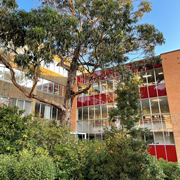
The Morris Miller library is located on the Sandy Bay campus, Churchill Avenue, Sandy Bay.
Locate the Library in Google Maps
| Library phone number | +61 3 6226 2211 |
| Library email | library@utas.edu.au |
| Postal address | Morris Miller Library, PO Box 840, Sandy Bay TAS 7006 |
Opening hours
| Days | Hours | |
|---|---|---|
Library & UniConnect Services | Monday - Friday | 9.00am - 5.00pm |
| Level 2, 3 & 4 Study Space & Library Collections UTAS Students and Staff - swipe card access outside staffed hours | 7 days | 5.00am - midnight |
| Level 5 Library Collections | Monday- Friday | 8.00am - 5.00pm |
General Public & Community Borrowers | Monday- Friday | 8.00am - 5.00pm |
Public Holidays 2026
Level 2, 3 & 4 Study Spaces & Library Collections: swipe card access for UTAS Students and Staff
| Day | Date | Hours |
|---|---|---|
| Royal Hobart Regatta Day | Monday 9 February |
Open as a study space 5.00am - midnight |
| 8 Hour Day | Monday 9 March |
Open as a study space 5.00am - midnight |
| Easter | Friday 3 April - Tuesday 7 April |
Open as a study space 5.00am - midnight |
| King's Birthday | Monday 8 June |
Open as a study space 24 hours |
| Royal Hobart Show Day | Thursday 22 October |
Open as a study space 24 hours |
Print Morris Miller Library floor plan (PDF 393 KB)
Level One
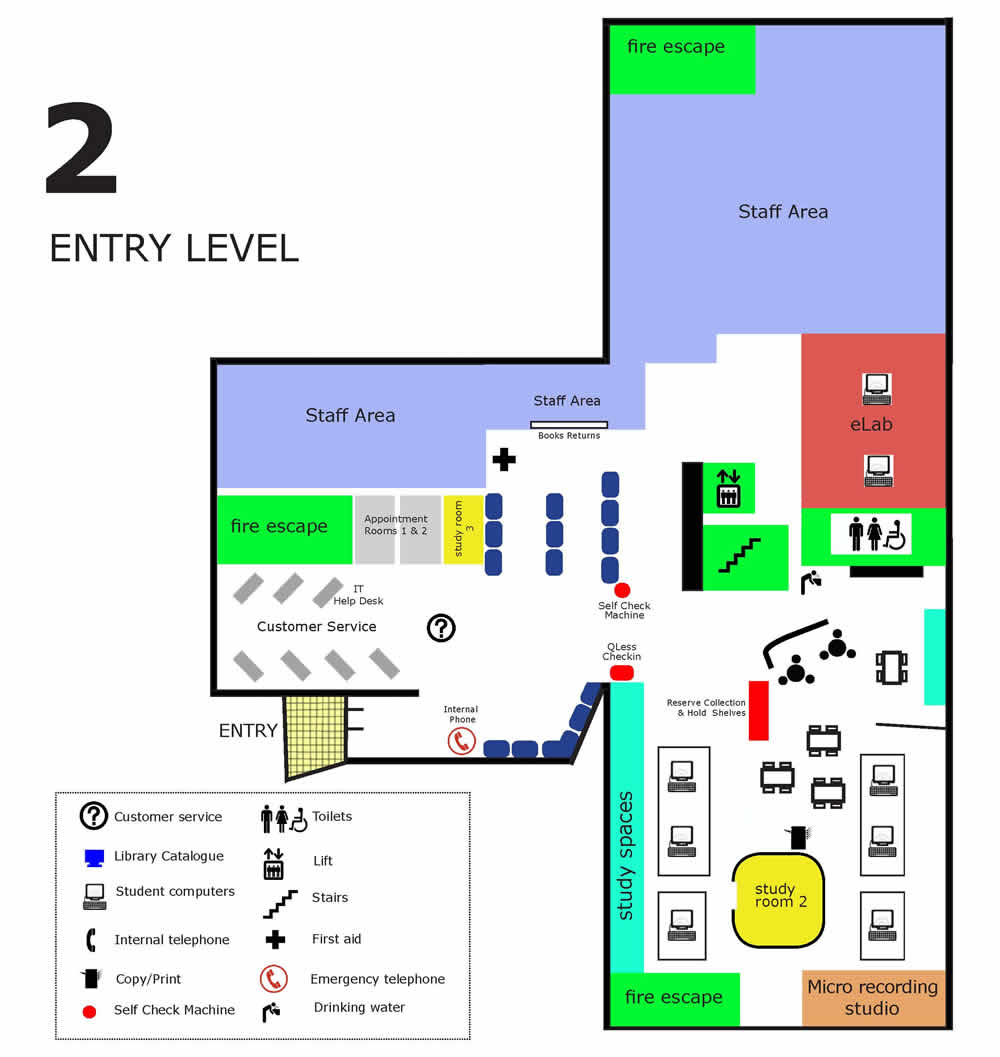
Level Two
Entrance level for Library users
- Wired and Wireless network for laptops
- PCs
- 2 Print/copy/scan
- Library self-check unit
- Reserve Collection (High user course material)
- Holds & InterLibrary Loan items awaiting collection
- E Lab
(for student use unless reserved for a class booking) - Group Study Room 2 & 3 (online booking)
- Study desks
- Micro Recording Studio
- Exhibition display cabinets
- Toilets including Disabled toilet
Client Services Desk
For assistance with:
- Printing accounts, e-mail passwords,
borrowing & return of loan items - IT support desk (wireless laptop set-up)
- Enquire here about assignment & research assistance
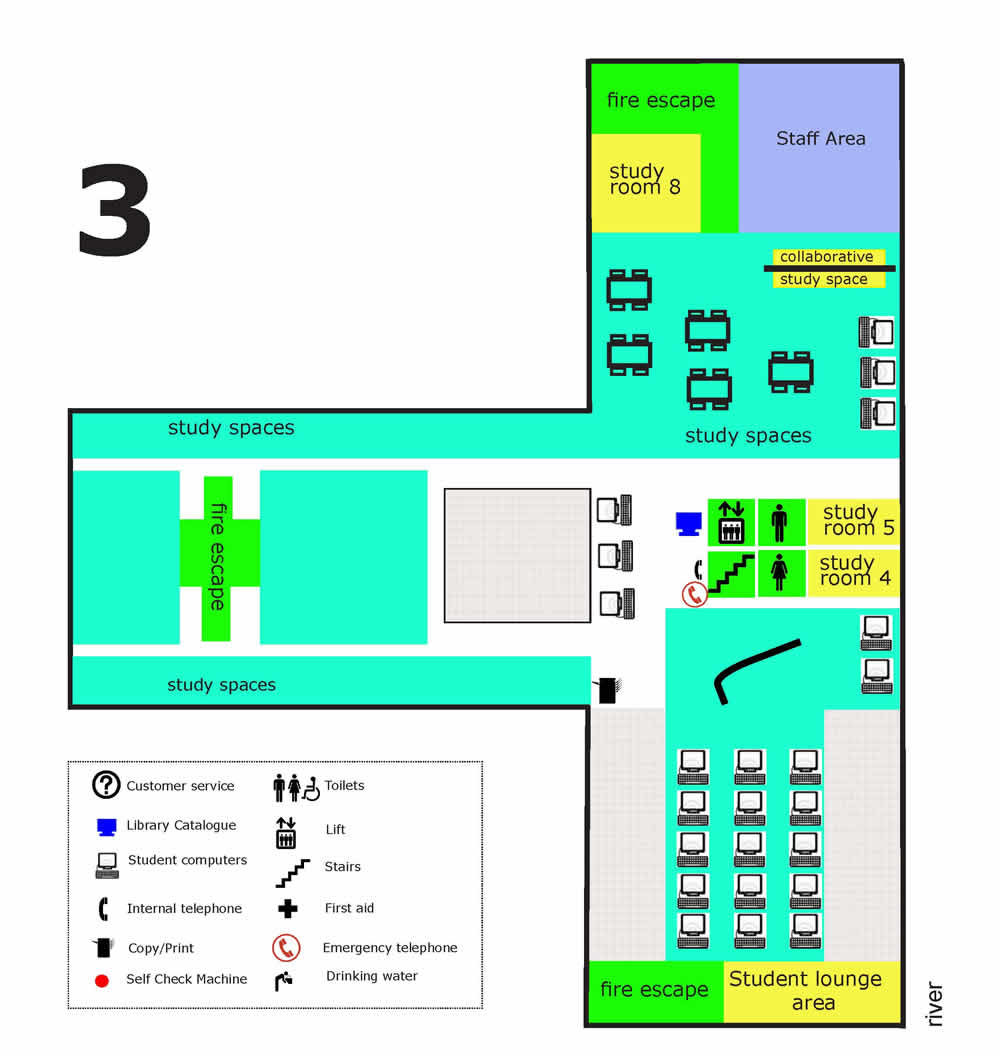
Level Three
- Wired and Wireless network for laptops
- MAC/PC computers
- Group Study Room 4, 5 with computer & 8 (online booking)
- Collaborative study space
- 1 Print/copy/scan
- Study tables
- Toilets
Access: Lift or stairs
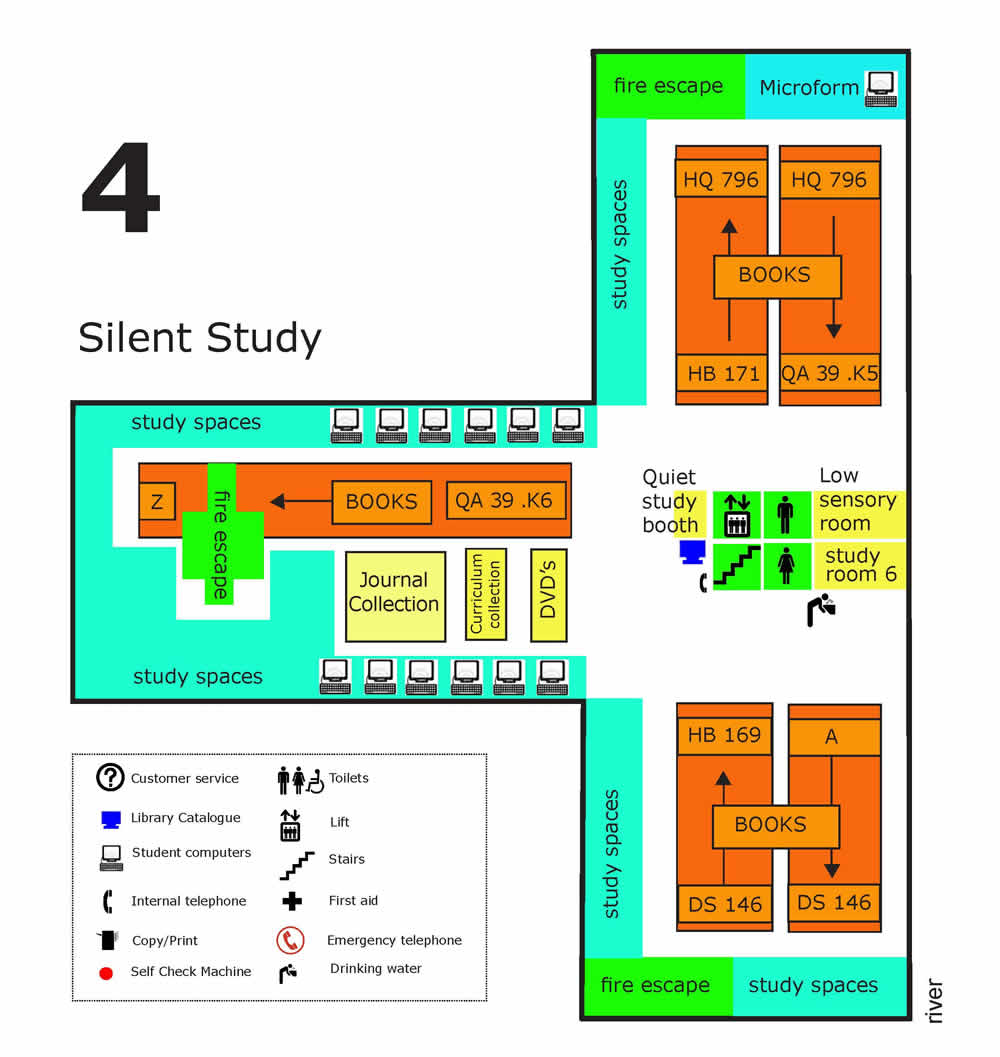
Level Four
Note: Level Four is a silent study area
- Books (Call numbers A to Z)
- Journal collection
- Folio collection
- DVD collection
- Curriculum collection
- Wired and Wireless network for laptops
- Group Study Room 6 with computer & 7 (online booking)
- Silent study carrels
- Silent study benches
- Microfilm and Fiche collection & reader
- 2 catalogue computers
- Drink fountain
- Toilets
Access: Lift or stairs
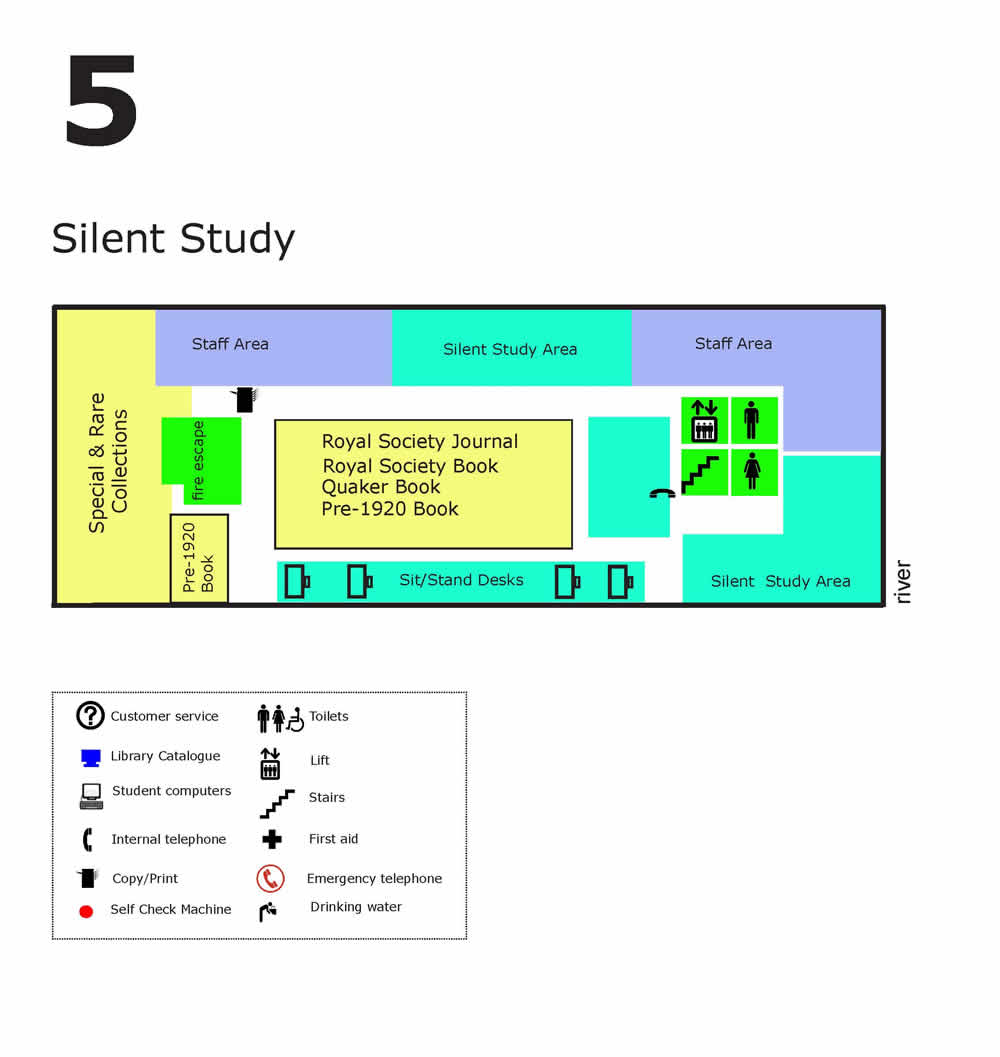
Level Five
Note: Level Five is a silent study area
- Royal Society Library
- Royal Society Library Journal Collection
- Special & Rare Collections
- Quaker collection
- Pre 1920 book collection
- 1 Copy/print/scan
- Silent study desks
- Toilets
Access: Lift or stairs
Room Booking Guidelines
To ensure fair access to rooms, booking priority is given to University of Tasmania students and staff.
Community members wishing to book a room should speak with staff to discuss availability.
Bookings are subject to the followin guidelines:
- Bookings are limited to 2 hours per day
- Bulk or repeated bookings may be cancelled
How to Book
- Book via your own Outlook Calendar
- Select from one of the available rooms listed below for your Outlook booking
- Use the room link provided to view the room location and layout
- Need Help with your booking? Select your booking method for detailed instructions
| Room Name | Number of people |
|---|---|
| SandyBay.MorrisMiller.203A | 6 |
| SandyBay.MorrisMiller.204 (Micro Recording Studio available during staffed hours only) | - |
| SandyBay.MorrisMiller.215B | 2 |
| SandyBay.MorrisMiller.215C | 2 |
| SandyBay.MorrisMiller.302 | 4 |
| SandyBay.MorrisMiller.303 | 4 |
| SandyBay.MorrisMiller.403 | 4 |
| SandyBay.MorrisMiller.404 | 6 |
